Mobile Product Design for Treetracker
Skills Used
UXR
IA Design
Sketch
Wireframing
Rapid Prototyping
Treetracker users work in areas without consistent internet connectivity making login verification impossible. They frequently share one device between 20+ people, many of whom are illiterate and have never used a mobile device. As of 2024, hundreds of thousands of trees have been planted using Treetracker across every continent.
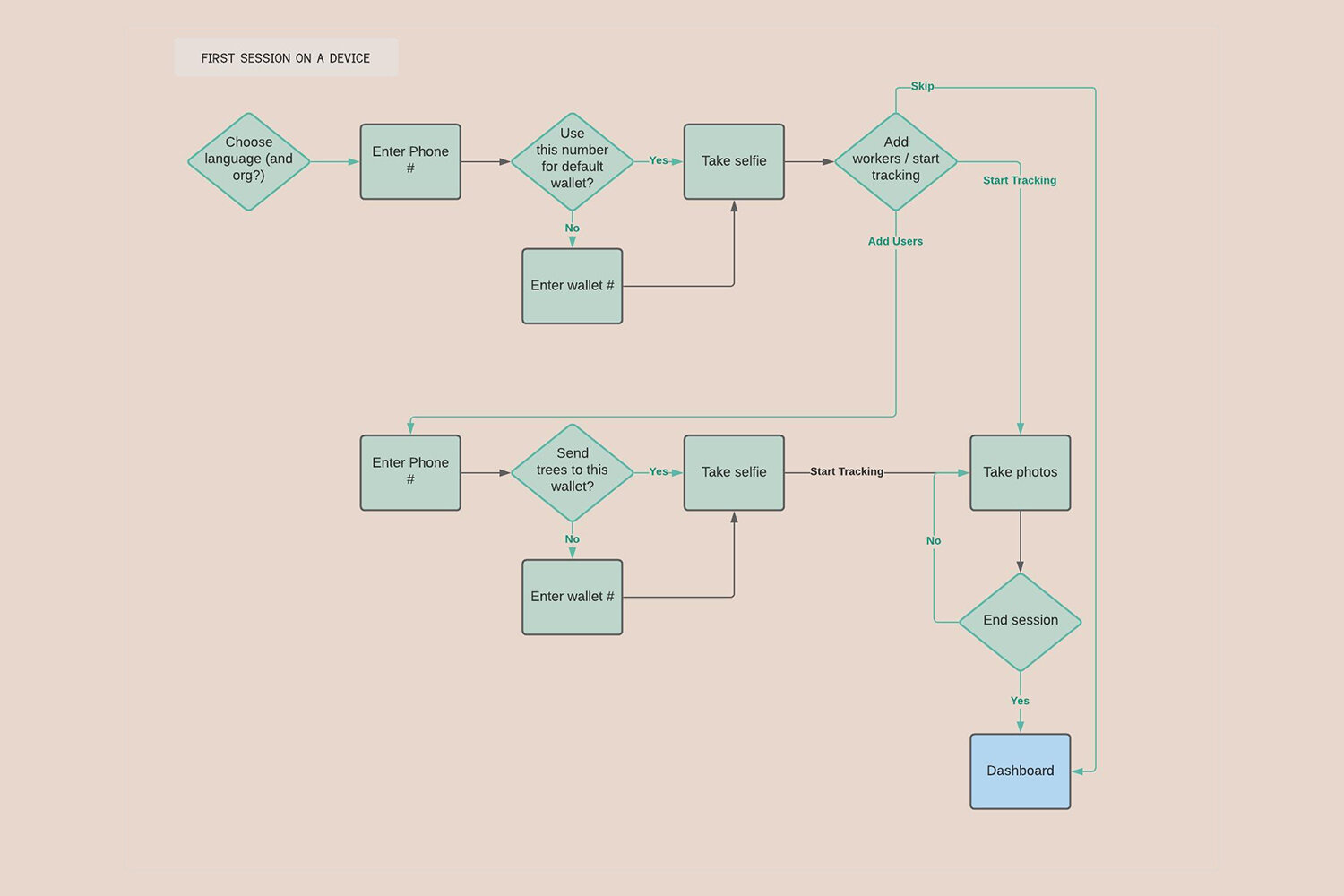
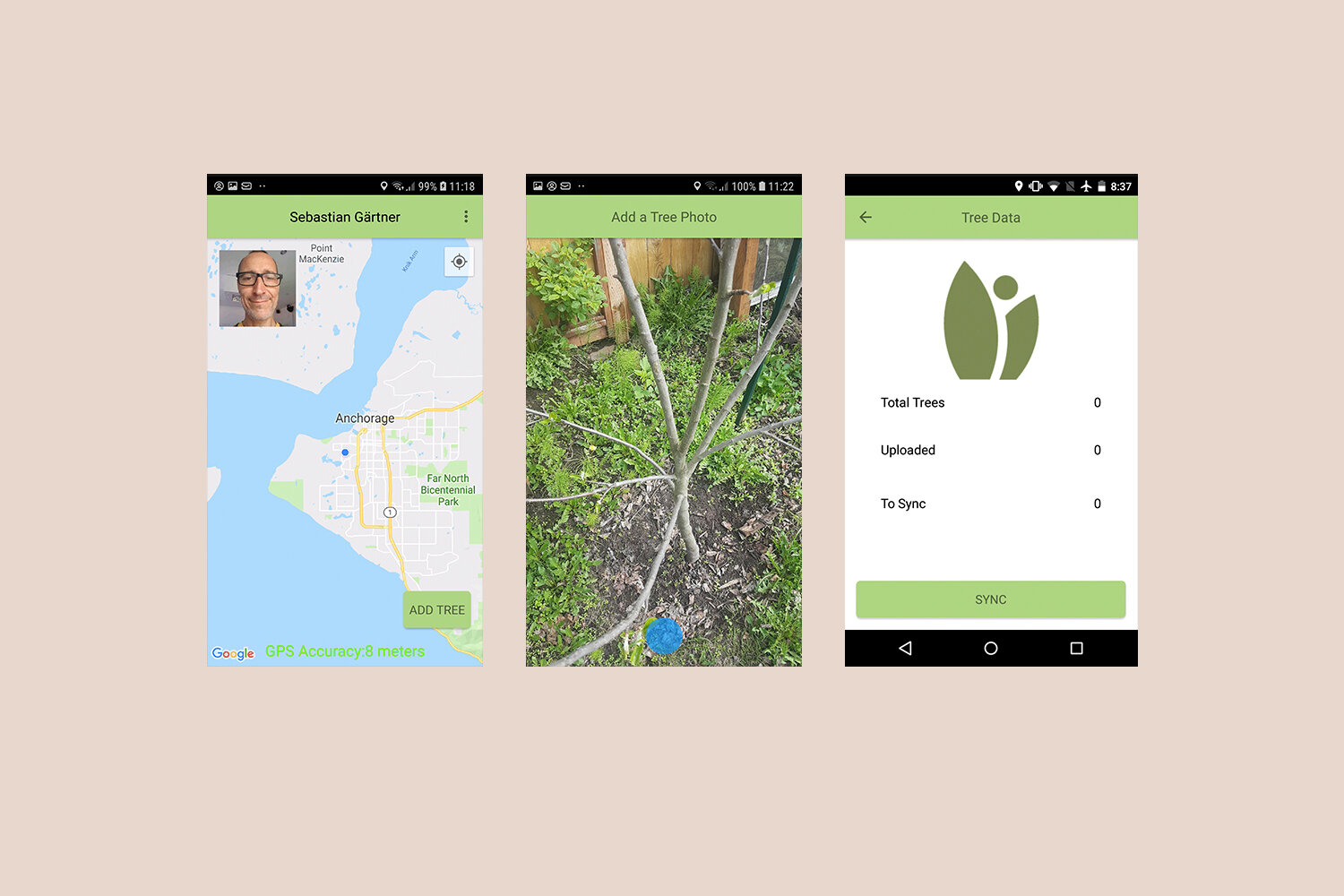
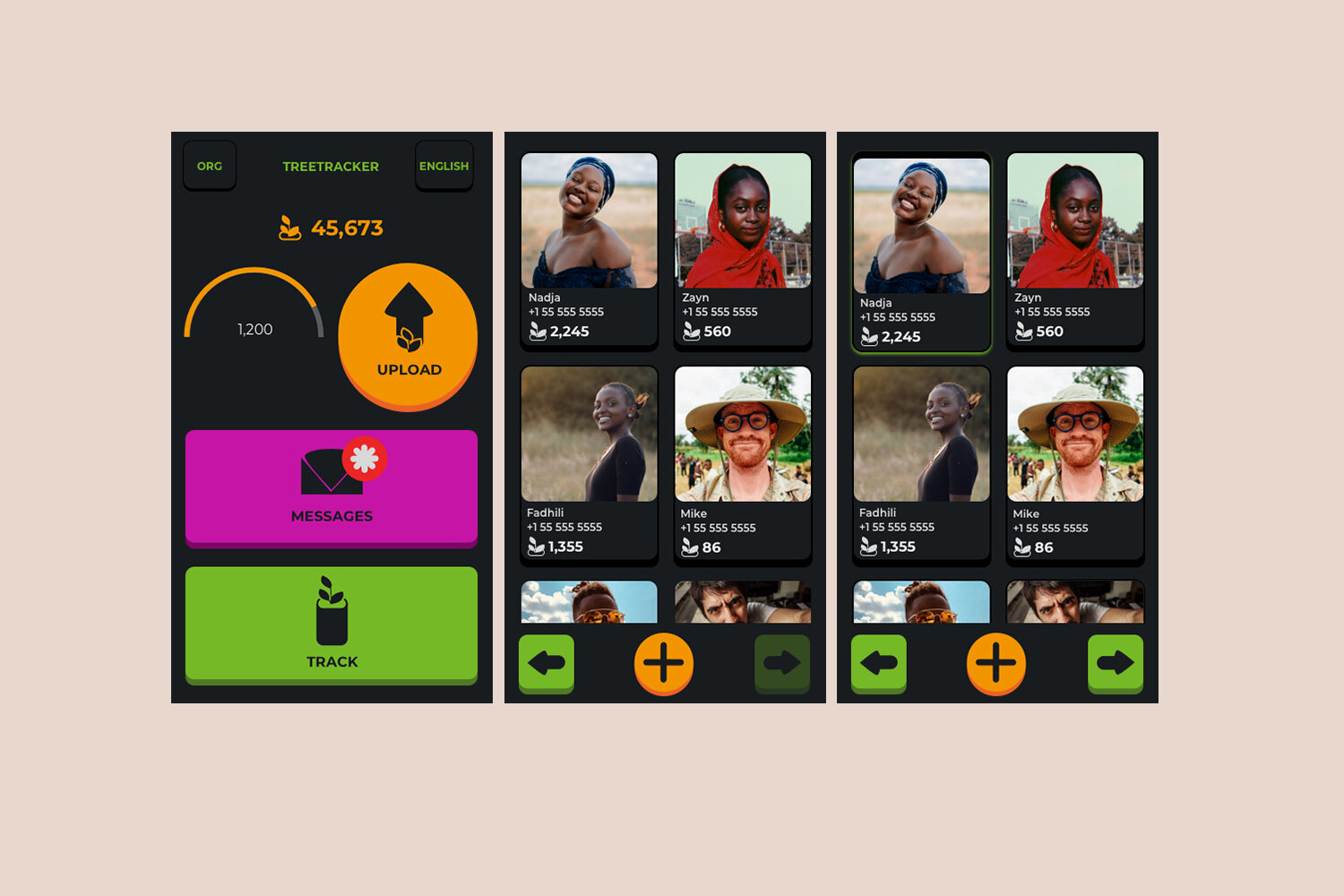
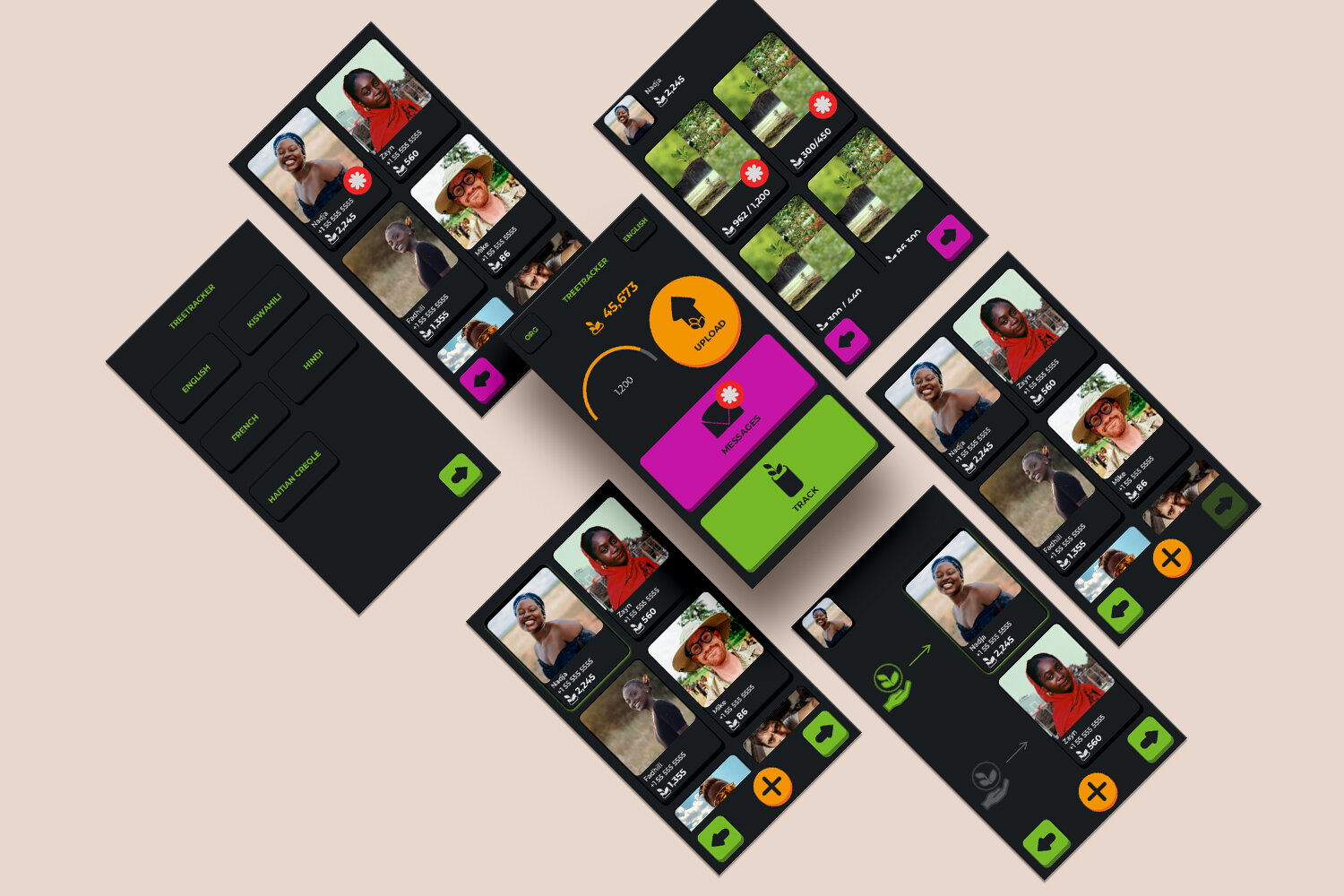
Considering these challenges, I did a UX audit of the existing app and noticed the user login process was very difficult for most users. To solve for several problems, I created a “session” process delineating a Device Owner from Basic Users and the tracking they each do. Essentially suggesting a local login that would allow a multiple users to track their work on a single device. This protects planters from exploitation and exposes user data that would otherwise be inaccessible. Distinguishing two types of users also simplifies what information needs to be communicated to whom, resulting in a better experience for the Basic User. Session information is uploaded all at once when the device moves into range of cell service. I built UX flows and wireframes of these processes centered around a dashboard rather than a map, which was previously displaying little useful information to the person actually tracking tree growth.
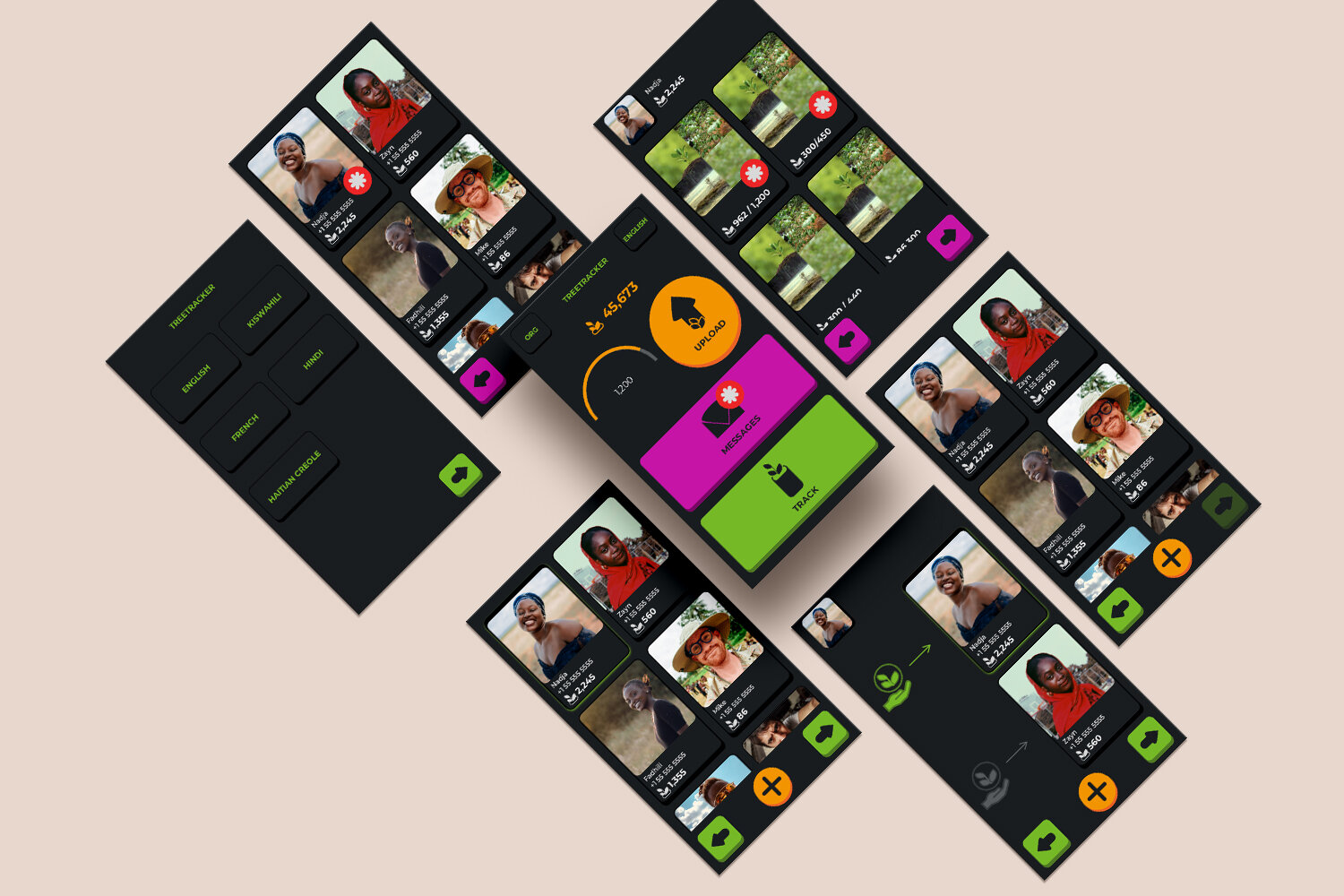
I based the visual design of Treetracker on research by several African UX designers which identified a familiarity gap between modern touchscreen phones and the apprehension of people who have never used a cellphone or computer. Summarizing very broadly, this research has shown that 3d buttons encourage touching, where more modern flat designs are confusing. Research additionally suggests that this demographic is often illiterate and will more easily remember multi step workflows prompted by icons of recognizable items in their immediate environment, as opposed to things like words or round buttons. So we are currently working to combine these insights to create a workflow that uses bright, 3d buttons, with iconography like hands, baby trees in a planter, and huts. we chose street signs in Tanzinia (where a core group of our users live) as a starting point.